

Interlibrary Loan

Access to Maryland’s interlibrary loan (Marina) is unavailable with outstanding charges of $25 or more on a library account until those charges have been resolved. Please contact your local library to pay or resolve outstanding charges on your account.
Marina Requests
- An HCLS card is needed to request and borrow items through Marina. A+ Educator cards may not be used.
- Each county determines what kind of materials they will lend. Some libraries do not lend CDs and DVDs and may have other policies that prevent requests.
- Materials not yet published or published less than six months ago are considered too new to request.
- Items may take longer than two weeks to arrive at the HCLS branch that you designate as your pickup location.
- Streaming media, e-books and other electronic resources cannot be borrowed through interlibrary loan.
Marina Borrowing Information
Loan Period: 3 weeks
Renewals: 1 automatic renewal
Requestable Online: Yes
Overdue Fines: None
Branches: All branches
OCLC Requests
For materials not owned by any Marina library, you have the option to complete a request form in Marina. ILL staff will search for your title in academic and public libraries throughout the United States. Some of these libraries may charge borrowing fees.
- An HCLS card is needed to request and borrow items through OCLC. A+ Educator cards may not be used.
- Materials not yet published or published less than six months ago are considered too new to request.
- Streaming media, e-books and other electronic resources cannot be borrowed through interlibrary loan.
- Some lenders may charge a borrowing fee. If you are willing to pay a borrowing fee, please enter the maximum amount you are willing to pay on the Maximum cost line of the form. Fees are payable at the time of pick up. If no amount is indicated, we will only search for the item at libraries that lend for free.
- It may take longer than two weeks for these materials to arrive depending on availability and delivery methods.
- Lending libraries determine the length of time their materials can be borrowed. Loan periods will vary among lending libraries and may be shorter or longer than 21 days.
- These materials cannot be renewed. Failure to return OCLC items in a timely manner may result in lenders suspending HCLS borrowing privileges.
OCLC Borrowing Information
Loan Period: Set by Lender
Renewals: None
Requestable Online: Yes
Overdue Fines: None; replacement cost if not returned by due date
Branches: All branches
Marina SHAREit Customer Guide
If no results are found, you may click on Blank ILL request, on the top left of the page to fill out the form and initiate an OCLC request. This form will then go to our Interlibrary Loan department who will search for it outside of the Marina system.
SHAREit is our new resource-sharing platform that makes it easy to find and request items from libraries across the state. This guide walks you through everything you need to know about signing in, searching, placing a hold, reviewing your requests, changing your pickup location, and canceling a request.
- Go to your library’s webpage regarding interlibrary loans (the same place you used to access Marina).
- Click the “Patron” button when asked what type of user you are.
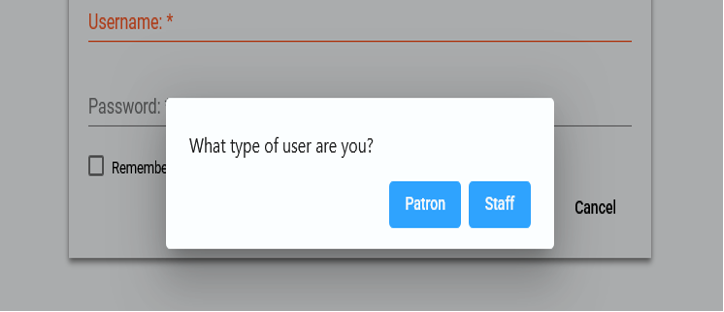
- Enter your library barcode when prompted.
Tip: You can also search first and log in later — SHAREit will save your search and take you right back to your results after you sign in.
- Enter a title, author, or keyword into the search box.
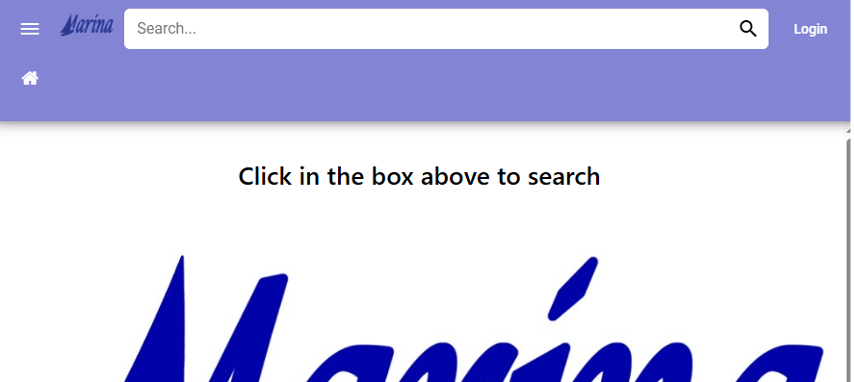
- By default, your search will look across all participating library systems, so you’ll see items available beyond your local library.
- Use the “Advanced” search option if you want to narrow your search by specific fields like author or title.
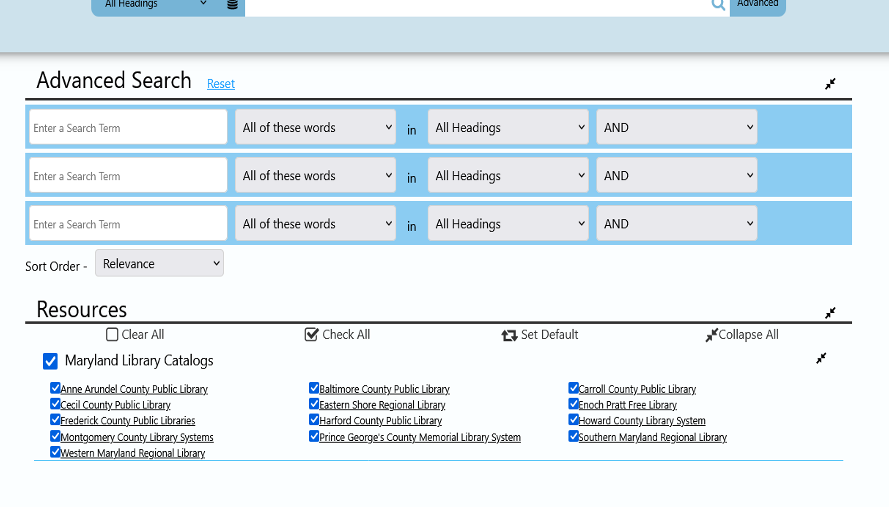
- Review your results. You can narrow the list using the filters on the left side of the screen.
- Once you find the item you want, click the request icon next to the item on the results screen, or click “Request This Item” on the item’s full details page.
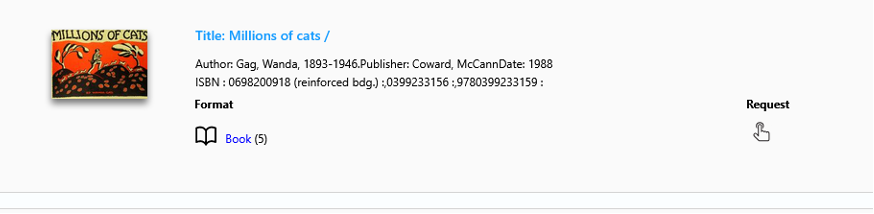
- If you’re not already logged in, you’ll be prompted to log in before your request can be placed.
- Confirm your request. You’ll receive confirmation that your request has been submitted.
Tip: If an item has multiple formats (like print or audiobook), make sure to select the format you want before placing your request.
- Log in and go to “Your Account.”
- Select “Items from Other Libraries” to see a list of your current and past SHAREit requests.
- From here, you can see the status of each request — for example, whether it’s still being located on its way to your library, or ready for pickup.
- Go to “Your Account” and locate the request you’d like to update.
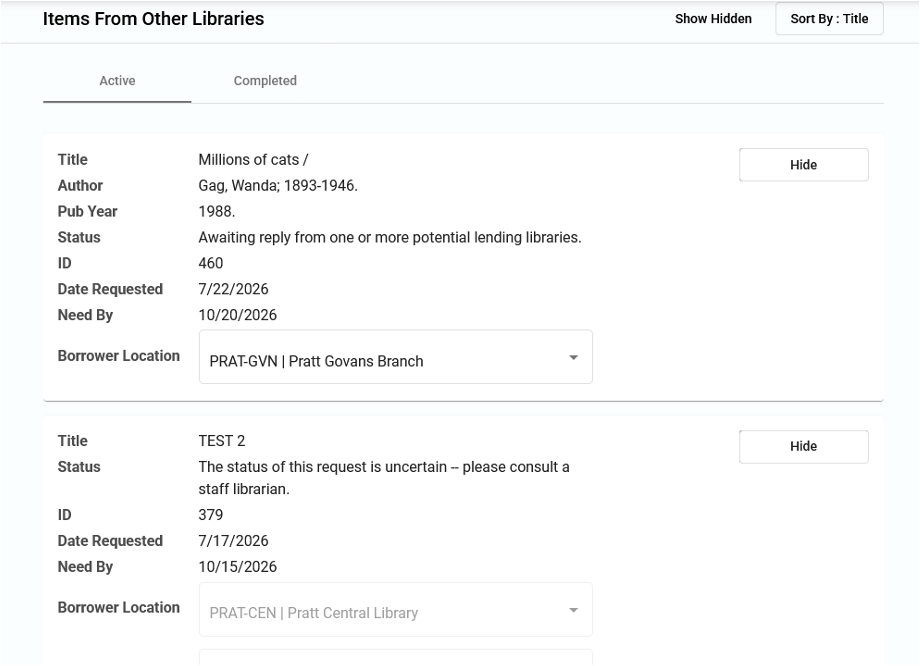
- Select the option to update your pickup location and then choose your preferred library location from the list.
Tip: Changing your pickup location may only be available before your item has shipped. If you don’t see this option, contact your local library for help.
Requests cannot be canceled directly through your SHAREit customer account. To cancel a request, please fill out a Cancel Marina Request or email the ILL Department at [email protected].
If you have any questions about using SHAREit, please contact your local library; staff have been trained on the new platform and are ready to help you get the most out of it.